
Verai keeps your entire operation, what you sell, what you charge, and what you can prove consistent everywhere a buyer looks, automatically. That consistency isn't a detail. It's the whole reason they get excited about the rest of what you're telling them.

Two sides. One link. You control both.
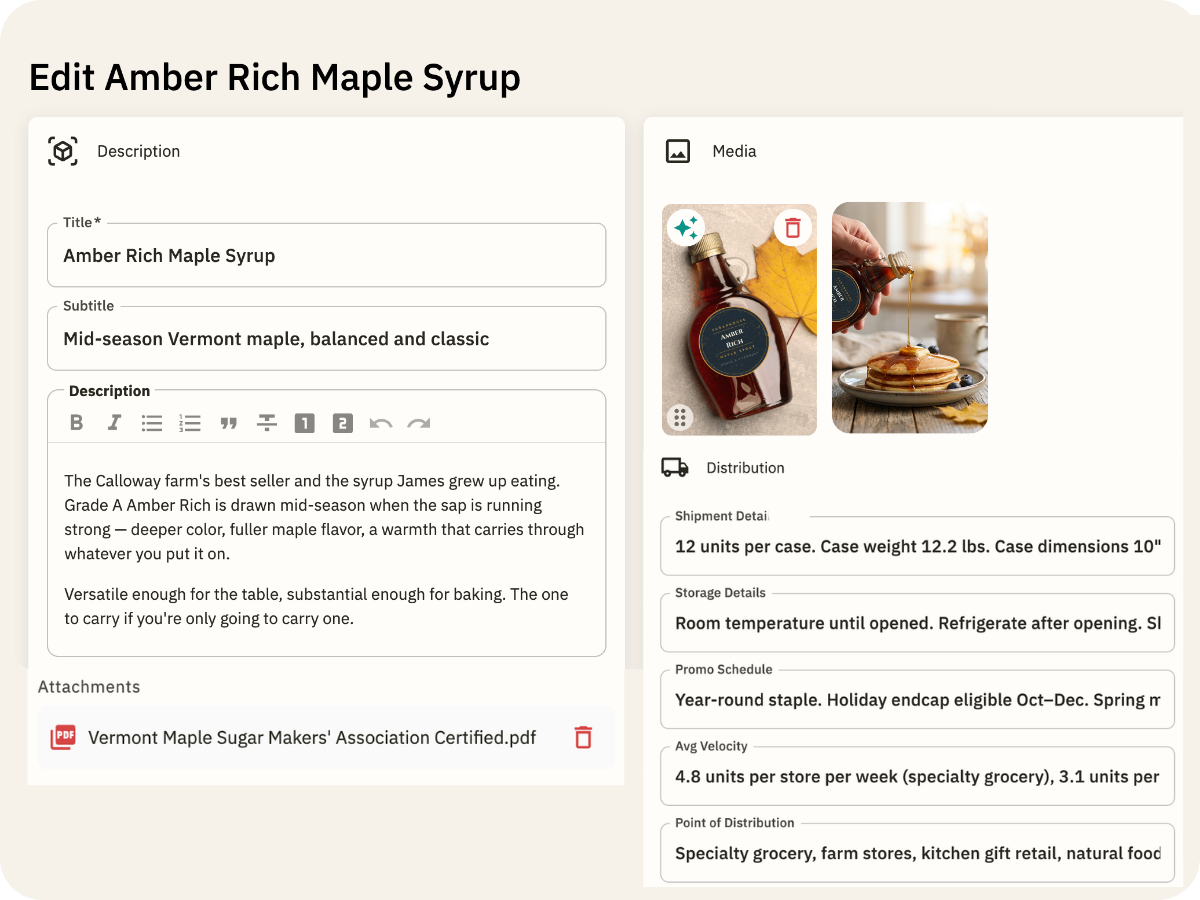
Your product descriptions are in a Google Doc. Your images are in Drive. Your certifications are in someone's inbox. Verai puts all of it in one place, attached to the product it belongs to.
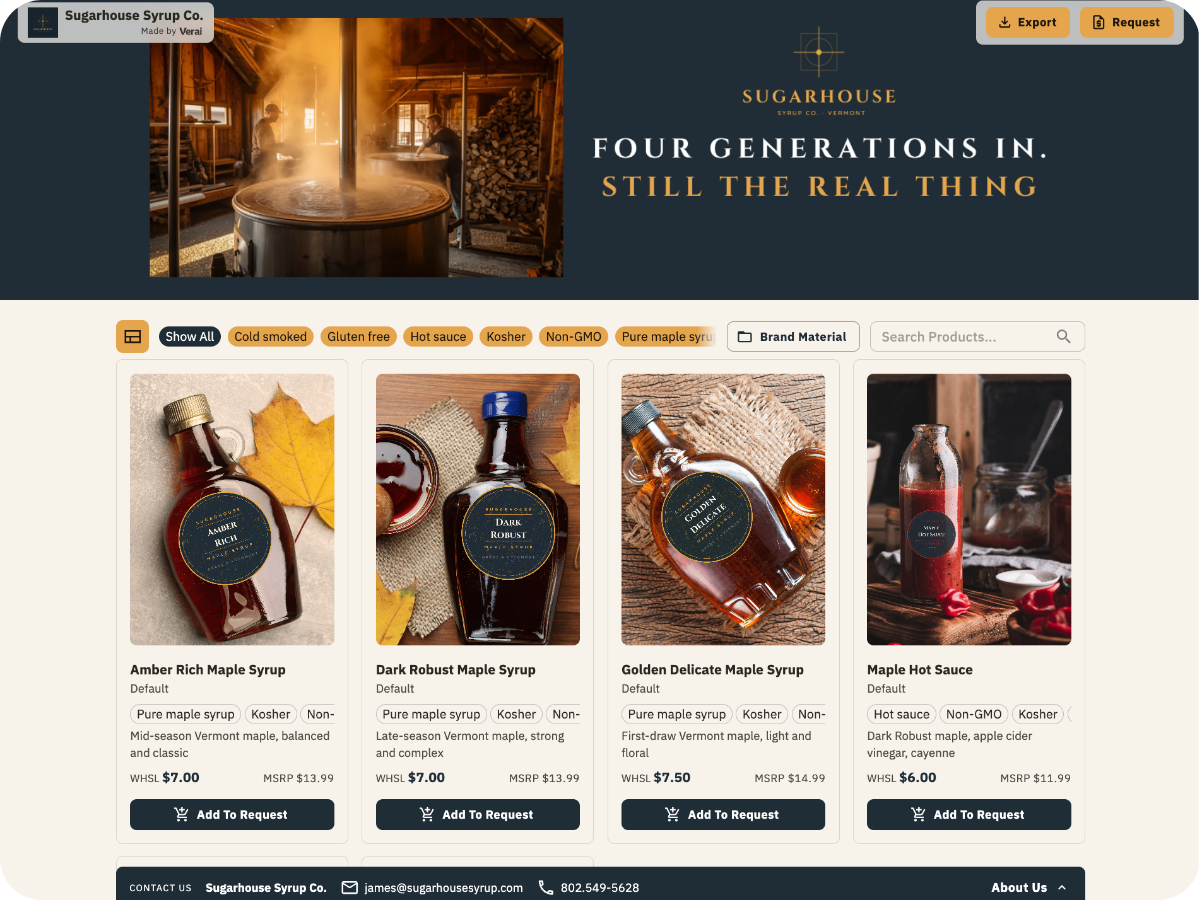
Send a link, not a PDF. Your Brand Portal is ready for a trade show scan, a cold outreach, or a follow-up after a buyer meeting.
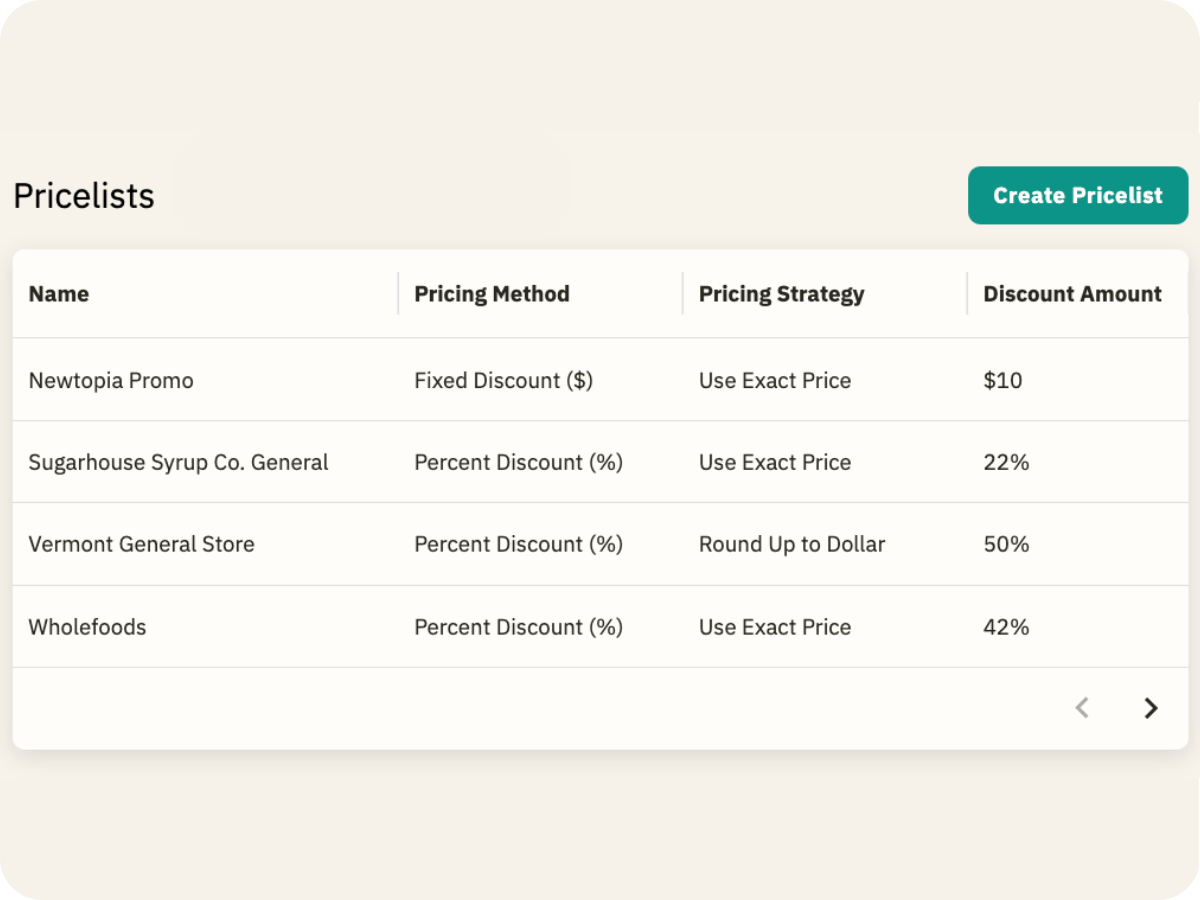
Every buyer gets the right price, the right products, and the right documentation. Build Pricelists once, assign them to any portal, and swap them in one click when terms change.
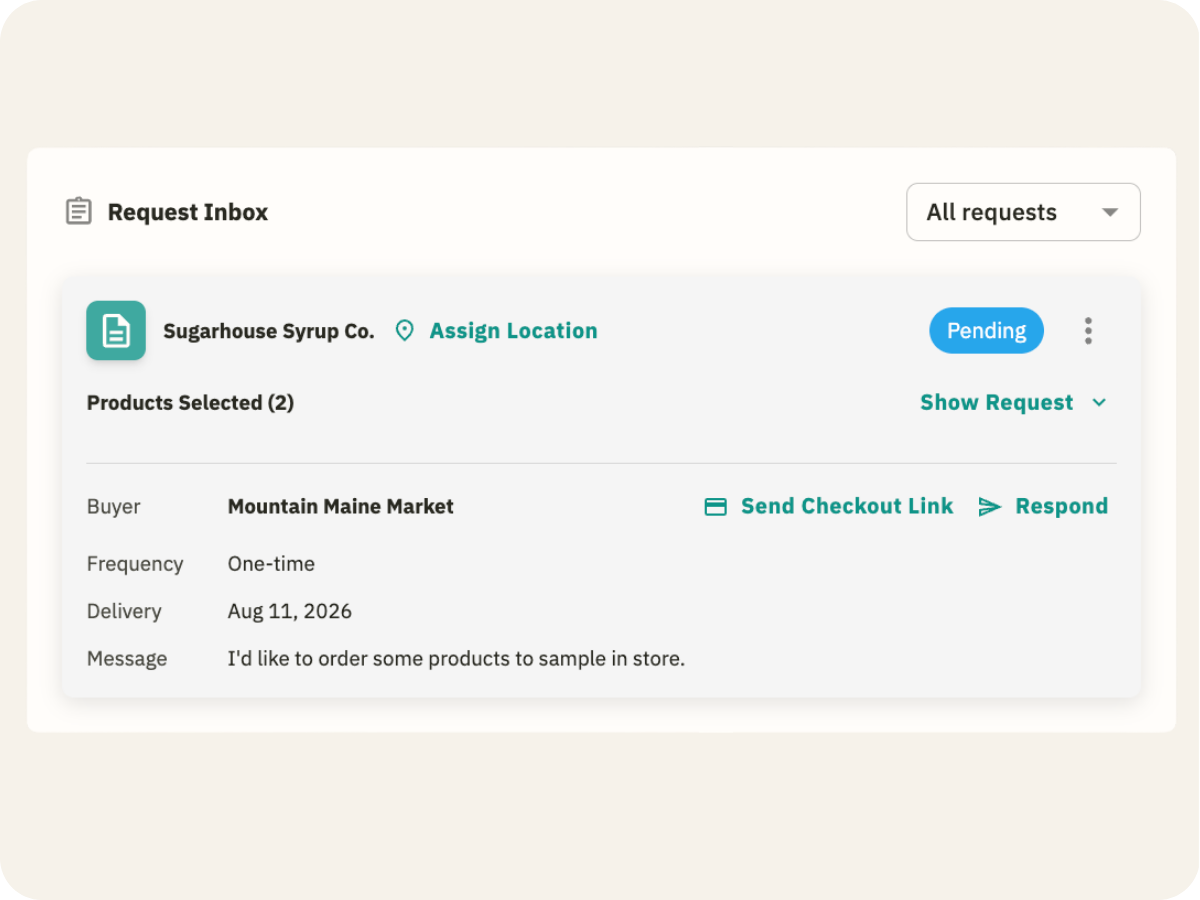
Stop managing buyer relationships in your inbox. Every request has a record, a status, and a next step. Nothing sits in the gray zone between "probably handled" and "I should check on that."
One product record. Every catalog, portal, and price list that touches it stays current on its own. The version a buyer sees today matches the version you updated this morning.
Build your catalog once. Show different buyers the version that's right for them by channel, category, or season without rebuilding anything from scratch.
Production-quality product photos without the production budget. Upload what you have and Verai cleans it up.
Send a link, not a PDF. Your Brand Portal shows buyers a living, updated catalog built for their channel, priced for their conversation, and looking like the brand you're actually building.
Whole Foods sees one price. Your indie retail accounts see another. Trade show visitors scan a QR code and browse your full catalog on the spot. You control who sees what.
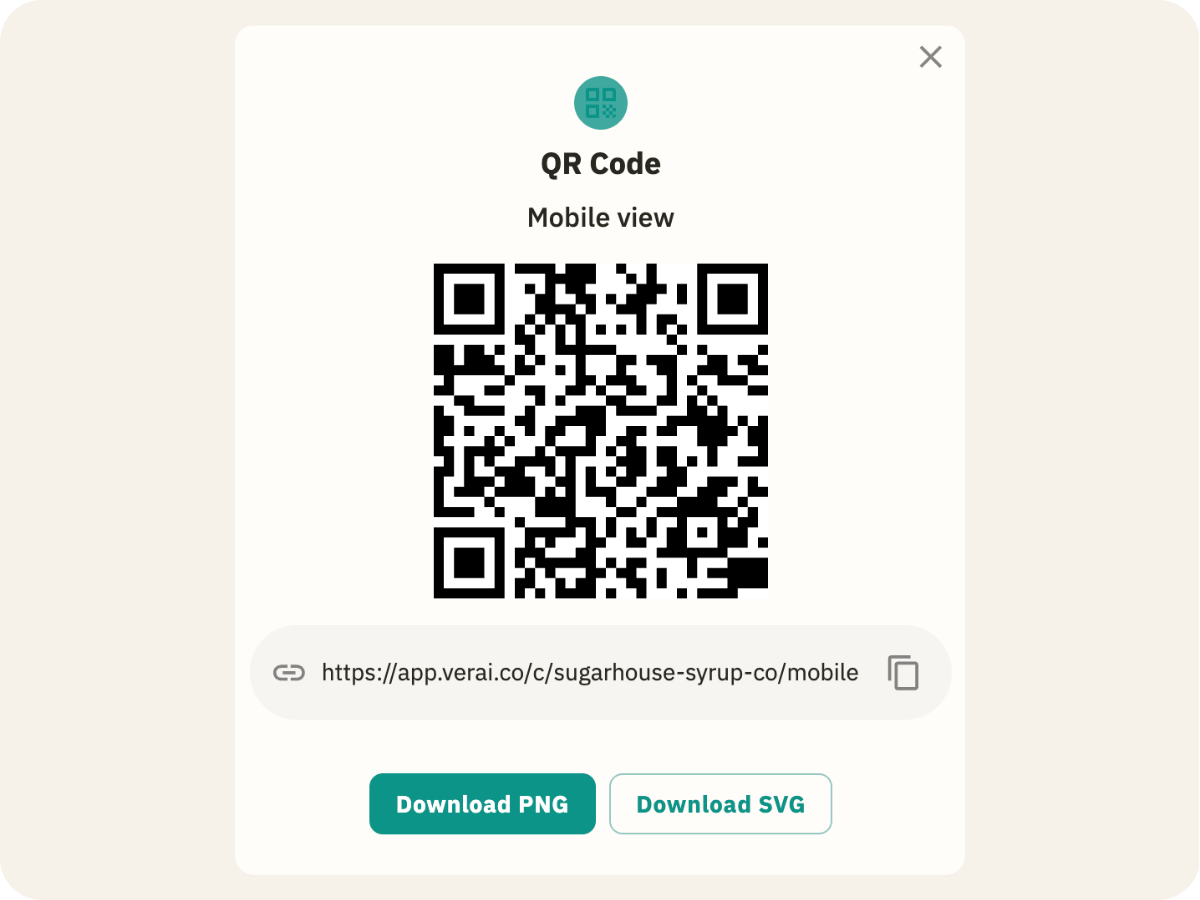
Generate a QR code for any Brand Portal. A buyer scans at Expo West and browses your full catalog on the spot, no paper line sheets, no follow-up email required.
A buyer asks for a different number. Reassign a Pricelist instead of rebuilding the line sheet. The portal updates in seconds. The conversation keeps moving.
Your Organic cert. Your Non-GMO verification. Your lab results. All of it lives in your Brand Portal, attached to the product it belongs to. Buyers stop asking because the proof is already there.
You sent your portal to 15 buyers last month. Verai shows you which three have been back multiple times this week. That's your call list, not a gut feeling.
Every retail account, who they are, what they carry, where they're located, in one place. When someone new joins the conversation, you're not starting over.
You know exactly who you're talking to, what they've asked for, and which store they're at before you pick up the phone.
Sample requests from the trade show floor, order inquiries from your portal, follow-ups you've been meaning to send. All of it in one inbox, with a status on every thread.
No credit card. No time limit. Takes about two minutes.
Connect Shopify, pull from Faire, or upload a spreadsheet. AI does the mapping. You do the final review. The work you've already put into your product data carries over.
Pick your products, assign a Pricelist, and publish. Your portal goes live with a shareable link and a QR code built for the conversation you're walking into.
Drop the link in a follow-up email, text it after a trade show, or put the QR code on your table at Expo West. No attachment. No PDF version. Just the link.